
|
Mencom Panel Interface Connectors Selection Guide MENCOM CONTROL PANEL CONNECTIONS Mencom Panel Interface Connectors: Access Your Controls with the Panel Door ClosedConnect programming equipment inside your control panel through an externally mounted interface. Major Electronix offers Mencom PICs for routine troubleshooting and programming, with common configurations available to order online and custom options available by request. 🔎 Choose Your Interface 📋 Panel Interface Connector Part Number Guide Compare Housing Sizes ↓What is a panel interface connector?A panel interface connector (PIC) is an enclosure-mounted connection point that provides outside access to equipment inside a control cabinet. Also called a programming port or programming interface, it lets technicians connect for programming and diagnostics without opening the main panel door. ⚠️ Safety: Keeping the main cabinet door closed can reduce exposure to energized components during connection tasks. A PIC prevents the risks caused by arc-flash hazards but does not replace required electrical safety procedures. 1. 🔎 Choose an Interface for the Job
Standard Panel Interface ConnectorsBuild a programming interface with room for multiple connections. Choose from six housing sizes with solid covers. Shop Standard PICs
Low Profile Panel Interface ConnectorsReduce cabinet-side projection by 75% compared with standard metal housings. Clear covers keep the installed ports visible. Shop Low Profile PICs
Port AdaptersAdd a single connection where panel space is limited. M25 threaded adapters mount through an approximately 1-inch hole. Shop Port Adapters
D-Sub Connector CablesComplete a 25-pin D-Sub connection with a male-to-female cable. Available lengths range from 2 to 12 meters. Shop D-Sub Cables2. 🔌 Match the Ports to Your EquipmentStart with the connection your equipment requires, then select a housing that accommodates it. Confirm the connector and the required wiring before ordering. Configuration note: Not all options are available for every type of Mencom Panel Interface Connector. Power PortsChoose the receptacle style for the equipment being powered. Confirm voltage, current rating and regional plug compatibility on the selected model. 120V Duplex Outlet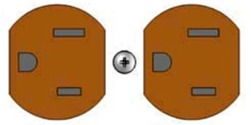 Two outlets in one receptacle. 120V Simplex Outlet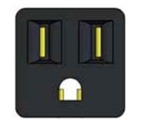 One outlet for a single plug. GFCI Outlet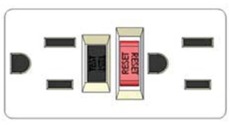 Ground-fault protection with test and reset buttons. China Outlet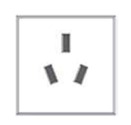 Match the outlet pattern to the intended plug. European Outlet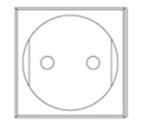 Check the specific regional socket configuration. United Kingdom Outlet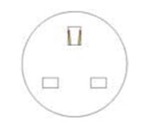 Choose the matching UK plug configuration. D-Sub ConnectorsD-subminiature options include 9, 15, and 25 pins. Standard arrangements use a female exterior connection and a male interior connection. Match both the pin count and the equipment pinout. 9-Pin D-Sub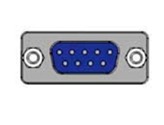 15-Pin D-Sub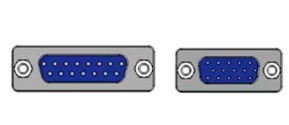 25-Pin D-Sub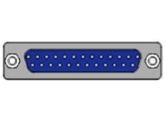 Communication PortsRJ45 / RJ11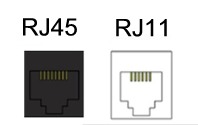 Choose RJ45 for compatible Ethernet connections. RJ11 is a separate modular connection for phone lines; verify the intended signal and wiring. Mini-DIN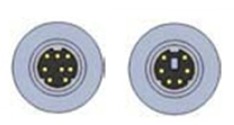 6-pin and 8-pin options use female exterior and female interior connections. Confirm the equipment connector and pinout. USB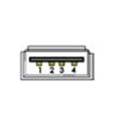 Match the USB connector type at the outside port and the internal connection to your device. Resettable Fuse Options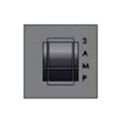
The standard resettable fuse option is 3A; 5A, 10A and 15A versions are also available. Select the rating specified for the circuit and PIC configuration. 3. 📐 Compare Standard & Low Profile HousingsStandard Housings
Low Profile Housings
Before cutting the panel: Use the exact model drawing for the cutout, mounting dimensions and clearance. Housing size numbers are identifiers, not inch measurements. Standard Housing Size ReferenceSize 6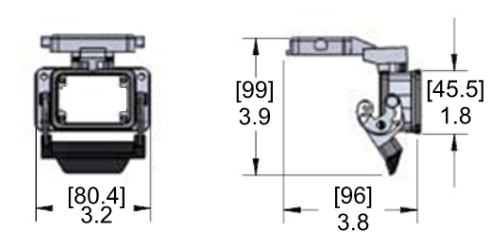 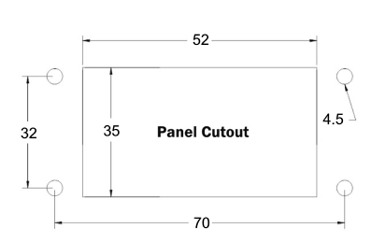 Size 10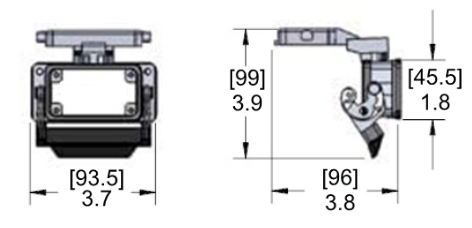 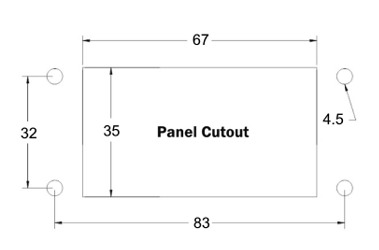 Size 16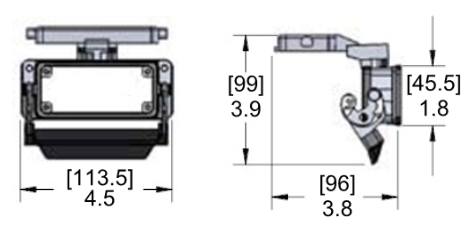 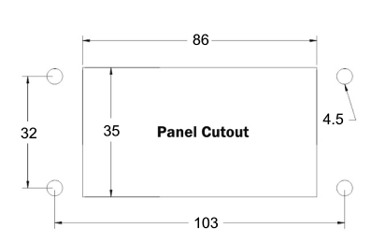 Size 24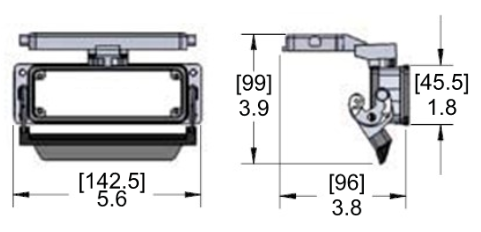 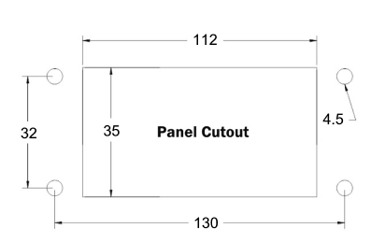 Size 32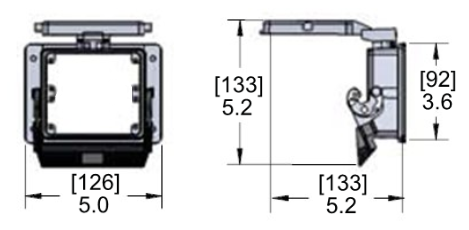 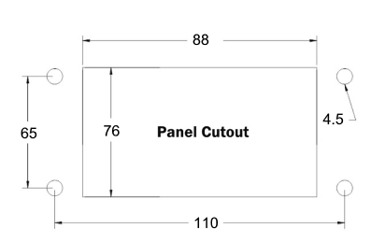 Size 48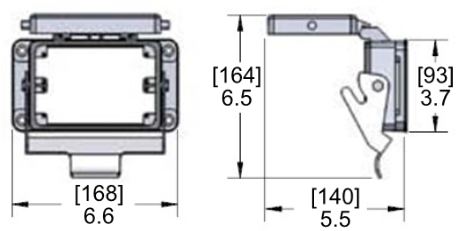 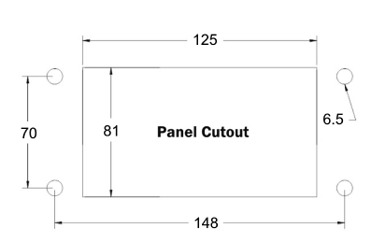 Low Profile Housing ReferenceSingle Size, Single Door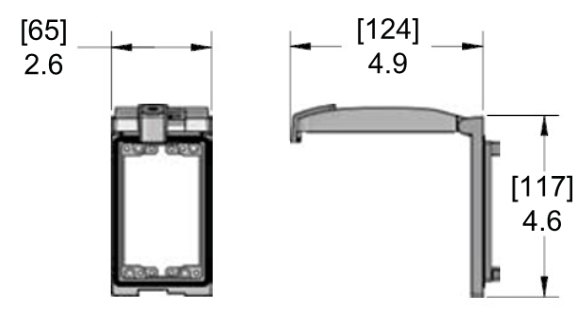 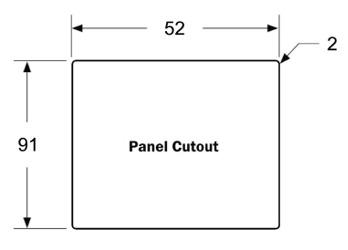 Dual Size, Single Door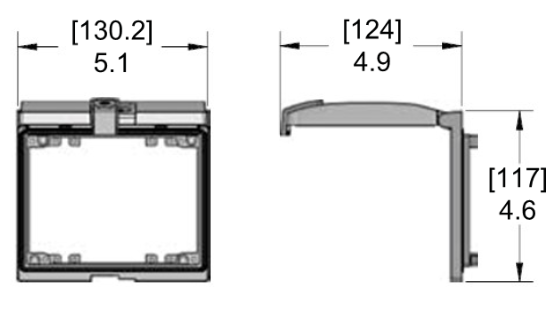 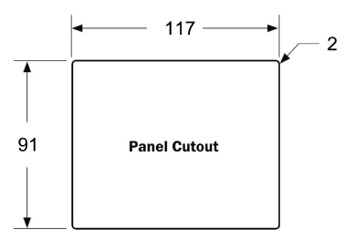 Dual Size, Dual Door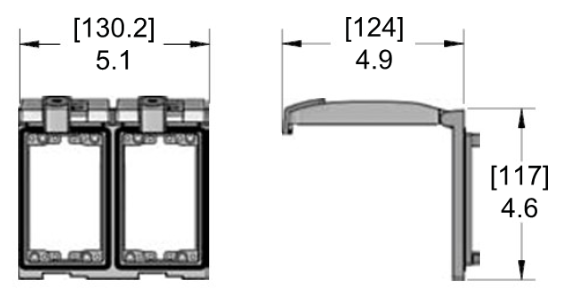 Illustrations show housing references; installed ports and component arrangements vary by part number. 4. 🔗 Complete the Panel ConnectionPort Adapters for Limited SpaceWhen you only need one connection, a port adapter provides a compact panel pass-through. Choose the port type that matches your equipment.
25-Pin D-Sub Connector CablesChoose a cable long enough for the planned route, with clearance for door movement where applicable. Confirm the pinout before connecting your equipment.
5. ✅ Quick Selection Checklist
Need a Custom Mencom PIC Configuration?Email us your required ports, preferred housing and available panel space. If your part number search returns no results, email [email protected] for help finding the right configuration. ✉️ Request Configuration Help |