Deca Push Buttons, Selector Switches, and DIN Rail Terminal Blocks
Deca Industrial Control Products
Build Safer, Easier-to-Wire Industrial Control Panels
Choose Deca emergency stop switches, push buttons, selector switches, or DIN rail terminal blocks for machine control, operator interfaces, circuit organization, and panel wiring.
🔘
22mm
Push button or switch mounting size
⚡
Up to 1000V
Terminal block voltage
🔌
2–275A
Terminal block amp range
🧵
2–28 AWG
Terminal block wire range
What Are Deca Products Used For?
Deca industrial control products are used to operate machinery, stop equipment during emergencies, select operating modes, or organize electrical connections inside control panels. Available products include 22mm operator switches and DIN rail terminal blocks rated for wire sizes from 2 to 28 AWG.
Shop Deca Product Categories
Select a product type based on its function, mounting requirements, and electrical specifications.
🛑
Emergency Stop Switches
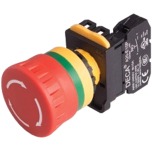
Add a visible manual shutdown control to machinery and industrial operator stations.
- Fits standard 22mm mounting holes
- 40mm diameter head
- Non-illuminated design
- Push to lock and twist to unlock
- 1 NC, 1 NO, or 1 NO/1 NC contacts
- Silver electrical contacts
Best for: Machine shutdown controls and operator safety stations.
Shop Emergency Stop Switches →
🔌
DIN Rail Terminal Blocks
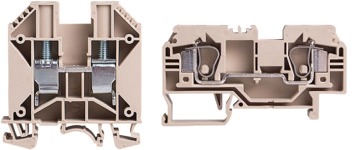
Organize power, control, grounding, and signal wiring on the DIN rail inside electrical panels.
- Supports 2–28 AWG wire sizes
- 300V, 600V, or 1000V ratings
- 2A–275A amp ratings
- Standard and grounding styles
- Screw clamp, spring clamp, double-level, diode, disconnect, and miniature options
- Beige (standard) or green/yellow (ground) polyamide housings
Best for: Control panels, distribution wiring, grounding, and circuit organization.
Shop DIN Rail Terminal Blocks →
🔵
Non-Illuminated Push Buttons
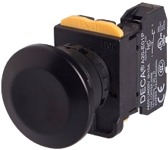
Add manual inputs to operator panels.
- Fits standard 22mm mounting holes
- 40mm mushroom-head or 30mm unibody options
- Momentary or maintained operation
- Black, blue, green, red, white, or yellow
- 1 NC, 2 NC, 1 NO, 2 NO, or 1 NO/1 NC contacts
- Silver electrical contacts
Best for: Start, stop, reset, jog, and manual machine commands.
Shop Push Button Switches →
🔄
Selector Switches
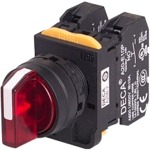
Select machine modes, operating directions, speed settings, or manual and automatic functions.
- Fits standard 22mm mounting holes
- 2-position or 3-position configurations
- Maintained, momentary, or spring-return operation
- LED-illuminated options
- 12V, 24V, or 110V illumination
- 1 NC, 1 NO, 2 NC, or 2 NO contacts
- Blue, green, red, white, or yellow
Best for: Auto/manual, forward/reverse, on/off, and mode selection.
Shop Selector Switches →
How Deca Components Fit Into a Control System
🛑
Operator Input
E-stop, push button, or selector switch
→
⚙️
Control Circuit
Relay, PLC, contactor, or controller
→
🔌
Panel Wiring
DIN rail terminal block connections
Deca Product Comparison
|
Product Type
|
Primary Function
|
Key Selection Criteria
|
Typical Application
|
|
Emergency Stop
|
Manual equipment shutdown
|
Contact arrangement and reset action
|
Machine safety station
|
|
Terminal Block
|
Connect and organize wiring
|
Wire size, voltage, current, and function
|
DIN rail control panel
|
|
Push Button
|
Send a manual control command
|
Momentary or maintained operation
|
Start, stop, reset, or jog control
|
|
Selector Switch
|
Choose an operating mode
|
Positions, return action, contacts, and LED voltage
|
Auto/manual or forward/reverse selection
|
How to Choose the Right Deca Product
1
Confirm the Function
Choose the product for your application (DIN-Rail terminal block or control switch). Take note of shutdown, push-button input, mode selection, wiring, grounding, or circuit-disconnect functionality.
2
Check the Ratings
Match specs such as voltage, current, wire gauge, contact arrangement, or illumination voltage to the circuit.
3
Verify the Operation
When choosing a control switch, select momentary, maintained, push-lock, twist-release, or spring-return operation.
4
Confirm Panel Fit
For control switches, verify the 22mm panel opening, available mounting depth, DIN rail space, and wiring clearance.
✅ Deca Product Selection Checklist
☐ Identify the required control function (Switches)
☐ Confirm voltage and current ratings (Terminal Blocks)
☐ Verify NO and NC contact requirements (Switches)
☐ Select momentary or maintained operation (Switches)
☐ Confirm 22mm panel mounting compatibility (Switches)
☐ Match terminal blocks to the wire gauge (Terminal Blocks)
☐ Choose the correct LED voltage when required (Switches)
☐ Check available panel or DIN rail space (Switches or Terminal Blocks)
⚠️ Installation Reminder
Confirm circuit ratings, contact logic, mounting dimensions, and applicable electrical or machine-safety requirements before installation. Disconnect power before wiring or servicing control-panel components.
Find the Deca Components Your Control Panel Needs
Compare operator switches or DIN rail terminal blocks by mounting size, contact arrangement, operating action, voltage, current, and wire capacity.
|

